Here’s the video walkthrough for recording a payment in Roomdoo:
To record a payment in Roomdoo, start by opening the property planning. Inside the calendar, after the check-out date, reservations in red have an amount still owed, and the ones in green are already paid.
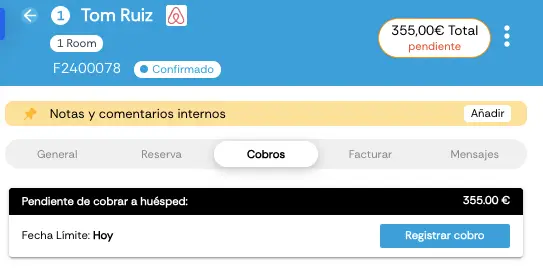
Record payment view
To record the payment, open the reservation from the calendar (or by reservation number), go to the Payments tab, and click Record payment. Once there, pick the payment method (cash, card, etc.), save the changes, and the reservation’s pending amount shows as paid. The reservation also turns green on the calendar.
You might also be interested in our guide on how to issue invoices in Roomdoo.