

What each OTA sends
Other OTAs, such as Agoda, also send an alias instead of the real email (
…@agoda-messaging.com).
Booking.com no longer sends the phone number
Booking.com has stopped sending the guest’s phone number to every channel manager and property management system. It’s a global policy to reduce WhatsApp and SMS scams targeting guests. The phone number is still available in the Booking.com extranet and in the Pulse app: if you need it in Roomdoo, add it by hand (see below).What the alias email is for
The alias isn’t a fake email: the OTA forwards to the guest the emails sent to that address. That’s how the guest gets, for example, the Roomdoo confirmation or the online check-in link.- On Booking.com, only emails from senders and links you’ve authorised in the extranet are forwarded. See Booking.com: authorise Roomdoo’s emails and links.
- OTAs may review or hold messages that contain links, phone numbers or emails. If a guest doesn’t get an email, try sending them the information without links through the OTA’s messaging.
Save the real email or phone
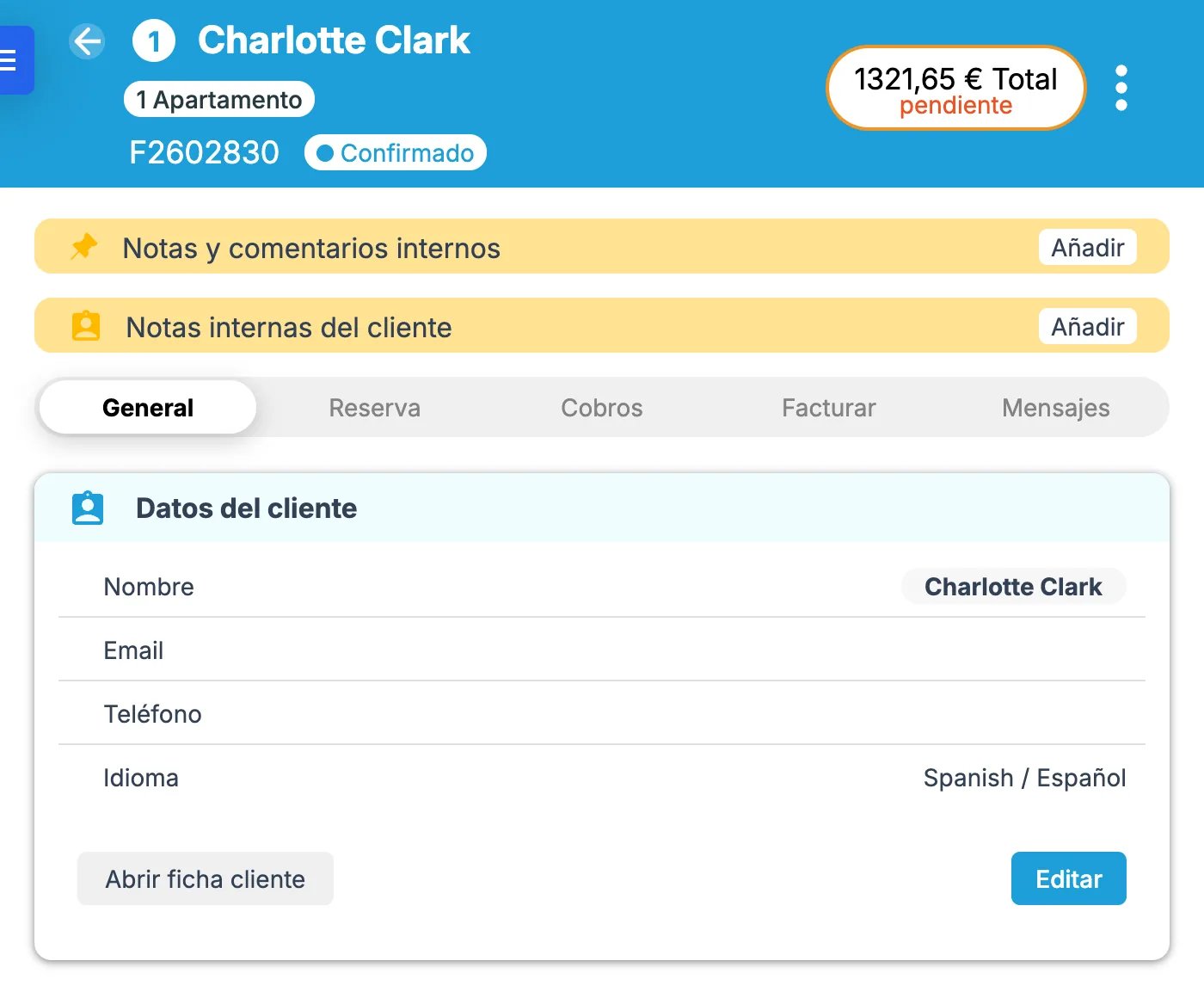
OTA reservations don’t create a customer record: the name, email and phone are stored as folio details. If the guest gives you their real details, save them on their record and link it to the folio. Go to the folio’s General tab, Client details block:- If the customer already has a record (for example, because they’ve stayed before): click Edit, search for it by name, ID or tax number, select it and click Save. It’s linked to the folio and its reservations.
- If they don’t: click Create new client and create the record with their email and phone. Then link it with Edit, as above.
When to contact support
- A channel’s reservations always arrive without the guest’s name, or stop including details they used to include (and it isn’t one of the cases above).
- The reservation details don’t match what you see in the OTA extranet.