

Booking.com defines these payment options and their conditions, and they can vary by country. This summary is based on Booking.com’s official partner help (links at the end) and on what we checked in real extranets in October 2026. The screenshots show the Spanish version of the extranet.
Payment options
Some details about the virtual credit card, according to Booking.com’s help:
- Each reservation has its own card, and it can only be charged from an activation date. The reservation shows “Not activated yet” and the date from which you can charge it.
- For non-refundable reservations it’s activated straight away. For the rest, when the reservation can no longer be cancelled for free.
- You have up to 12 months after the guest’s check-out to charge it.
How to tell which one your property uses
In your extranet
1
Check whether Payments by Booking.com is active
Type payments in the extranet search box and open Payments by Booking.com. It shows whether it’s active and a table of who collects payment depending on the condition the guest chooses.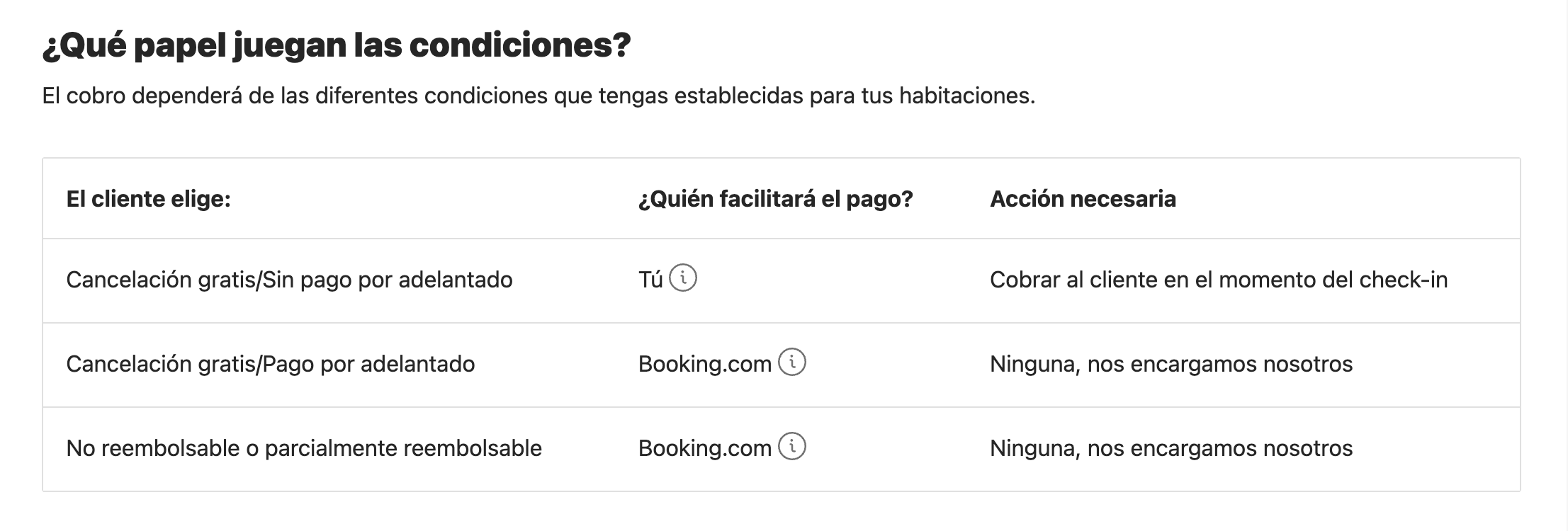
2
Check how Booking.com pays you
In Finance → Finance settings, under Payments by Booking.com, you’ll see the method: virtual credit card or bank transfer.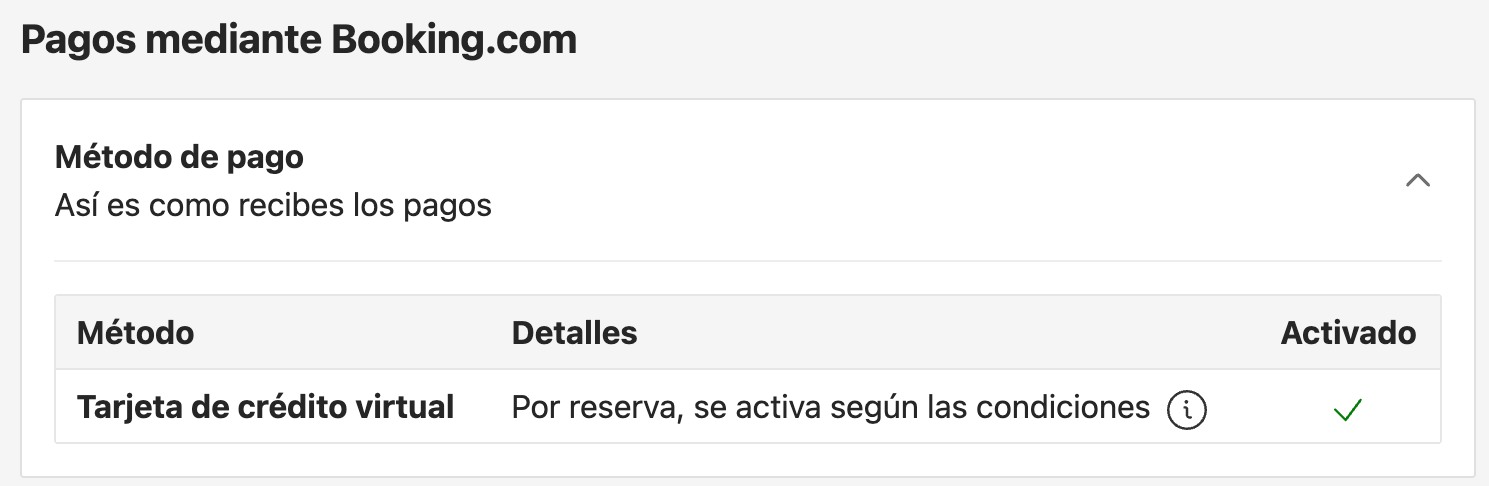
3
Review your booking policies
In Property → Policies, each policy says who charges and when. For example: “Booking.com will charge the guest the full prepayment amount before the free cancellation period ends”.
4
Confirm it in each reservation
In the reservation details, the payment section says, for example, that payment is made through Payments by Booking.com, and shows the virtual card with its activation date.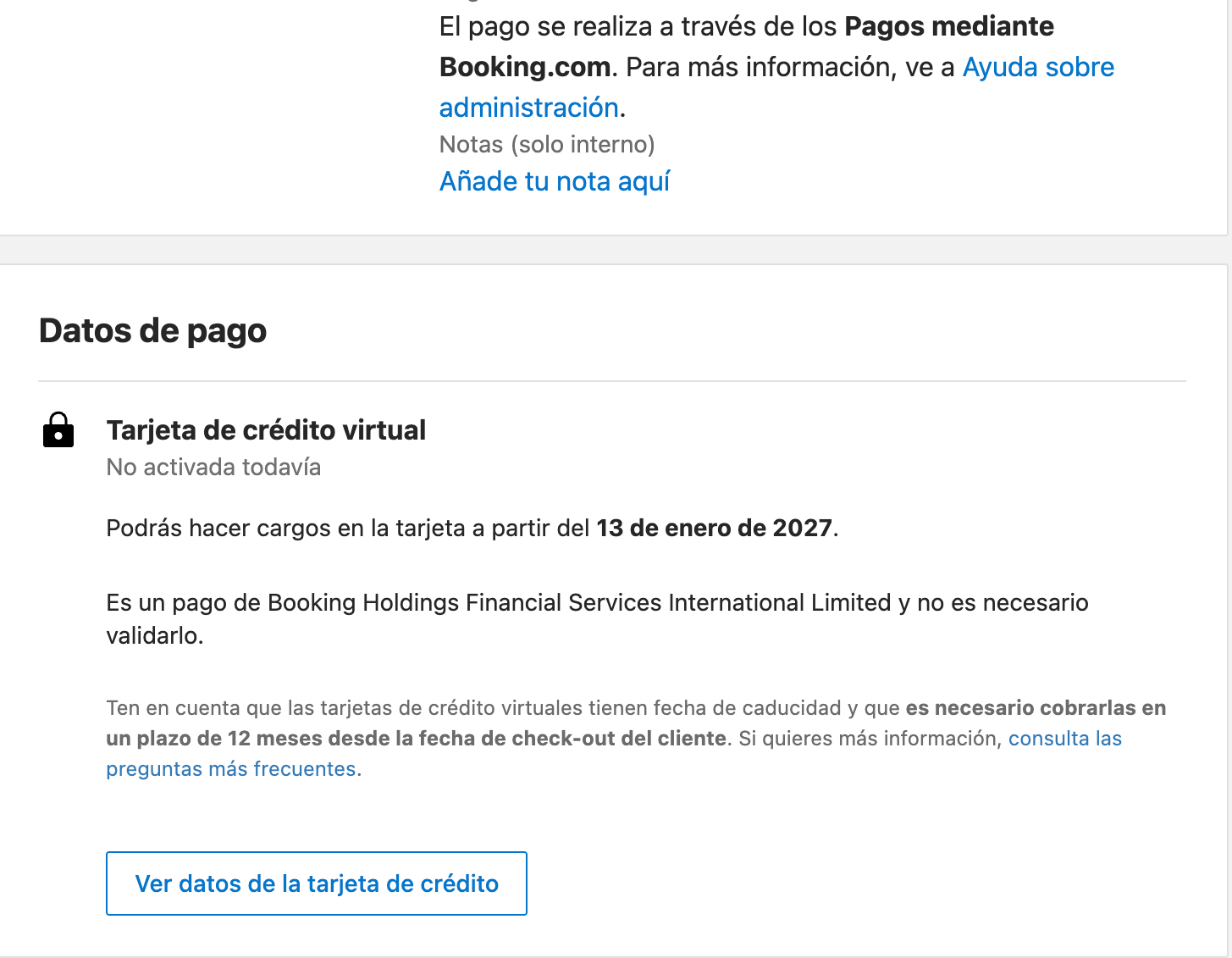
From the outside, on your property’s Booking.com listing
If you don’t have the extranet at hand, the public listing gives plenty of clues. Next to each rate, Booking.com shows the guest texts like these (shown here as they appear on the Spanish site):
Check rate by rate and on several dates: each rate can be collected differently.
What you’ll see in Roomdoo
To record the virtual card payment, follow How to record a payment, using the journal you use for your card terminal.
Common cases
The Booking reservation shows as outstanding but the guest says they've already paid
The Booking reservation shows as outstanding but the guest says they've already paid
Booking.com most likely collects it and pays you with a virtual card. Check the reservation details in your extranet. If so, don’t charge the guest: charge the virtual card once it’s active and record the payment in Roomdoo.
I can't charge the virtual card
I can't charge the virtual card
Check its activation date in the reservation details: it can’t be charged before then. If it’s already active and the charge fails, contact Booking.com.
There's a difference of a few cents on a reservation collected by Booking
There's a difference of a few cents on a reservation collected by Booking
It’s a typical rounding mismatch. See Cent-level overpayments on prepaid OTA reservations.
When to contact support
- A Booking.com reservation paid by bank transfer doesn’t show the payment recorded in Roomdoo.
- You think a guest has paid a Booking.com reservation twice.
Booking.com sources
- Joining Payments by Booking.com
- Everything you need to know about virtual credit cards
- Setting prepayment policies