

How the Roomdoo payment link works
The Roomdoo payment link is generated from the reservation itself and takes the guest to the payment page of the gateway configured for your property. When the guest pays, the payment shows up on its own in the reservation’s Payments tab.1
Open the reservation
Find the reservation on the planning or in the reservations list.
2
Payments tab → Generate link
In the pending-amount box, click Generate link. The button only appears while the reservation has an amount pending.
3
Enter the amount
Type the Amount you want to charge (it can’t exceed the pending amount) and click Generate link.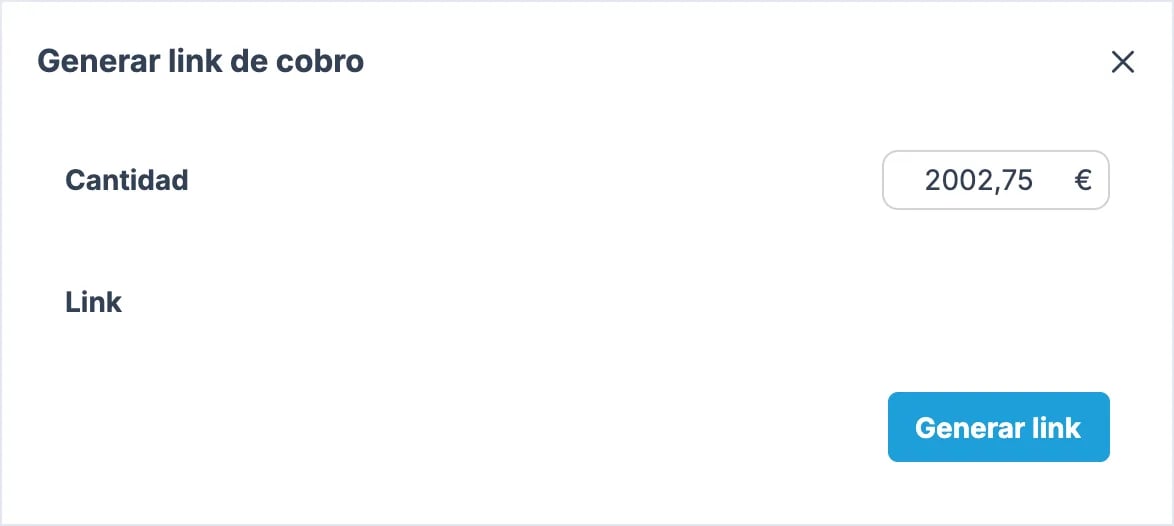
4
Copy and send the link
Copy the link that appears and send it to the guest.
If you sent the link from Phone & Sell or another tool from your bank, it isn’t a Roomdoo link: if it fails, check with your bank. Whatever you collect that way doesn’t reach Roomdoo on its own, so record it on the reservation with Register payment. See How to record a payment.
What the problem looks like
If clicking Generate link doesn’t show any link, or the guest sees an unexpected register screen or a page not found error when opening it, the link isn’t working and we need to look into it.What to do
Contact support with:- Booking reference
- Amount to charge
- If the customer saw a specific message (screenshot if they have one)
When to contact support
- Generate link doesn’t return any link: this usually means your property has no active payment gateway.
- The generated link fails to open.