

When you need to split a payment
Common cases:- Customer pays part in cash and part by card
- Company covers part and the guest covers the rest (e.g. room + per diem)
- Advance via transfer and the remainder at check-out by another method
How to do it
1
Open the reservation
Find the reservation where you want to record the payments.
2
Payments tab → Register payment
In the Payments tab, click Register payment in the pending-amount box.
3
Enter amount and method
Pick the payment method and change the suggested amount (by default, the full pending amount) to the share you’re charging with that method (for example, 200 € in cash). Click Save.
4
Repeat for each method
Click Register payment again and enter the next amount and method (for example, 150 € by card). The button keeps showing while there’s an amount pending, so you can repeat this as many times as needed.
5
Verify the total adds up
The sum of partial payments should equal the total reservation amount. The folio should show zero balance.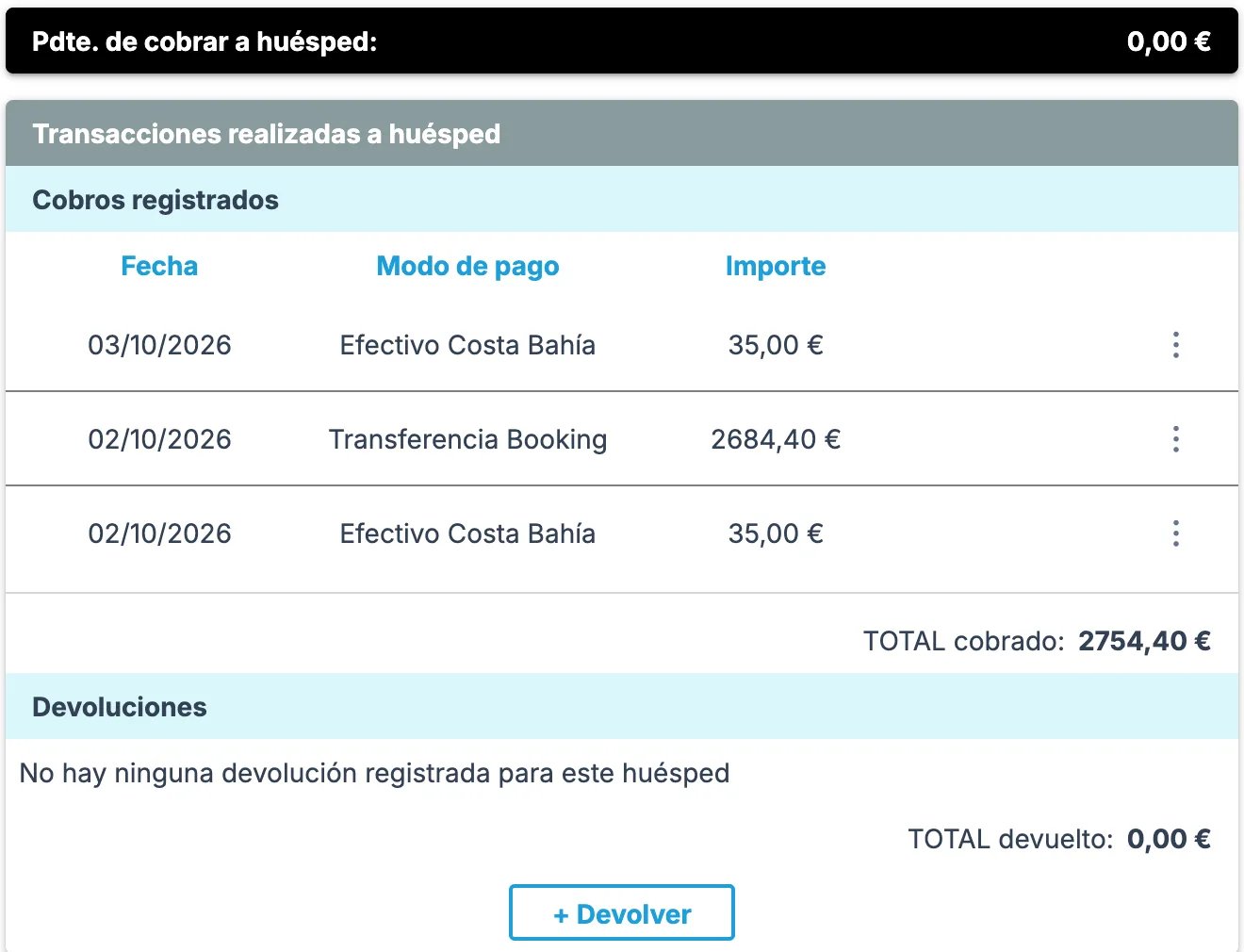
Common cases
Half customer, half agency: one invoice or two?
Half customer, half agency: one invoice or two?
Depends on how you agree with the agency:
- Single invoice to the agency for the total: the agency pays its share, the customer pays theirs (to the hotel), but accounting-wise the agency invoices everything and then bills the customer back. Cleanest.
- Two separate invoices: part to the agency, part to the customer. You can do this yourself from the Invoice tab: create the first invoice to the agency, removing the lines that don’t belong to it (they stay pending to invoice), and then create the second one to the customer with the rest. See How to create invoices.
I want to take an advance by transfer and the rest at check-out
I want to take an advance by transfer and the rest at check-out
That’s exactly the partial-payment flow. Record the advance with transfer method now, and at check-out record the rest with the matching method.If the customer wants an invoice for the advance before check-out, tick Does the client request a deposit invoice? when recording the payment, or use Create advance invoice in the ⋮ menu of the recorded payment. See Advance invoices.
I need to void a partial payment I recorded by mistake
I need to void a partial payment I recorded by mistake
You can fix it yourself from the Payments tab, under Registered payments: open the payment’s ⋮ menu and choose Edit charge to change the date or amount, or Cancel charge to cancel it. If it was reconciled with an invoice, it’s unlinked automatically.If Roomdoo won’t let you cancel it (for example, because the payment date falls in an accounting period that is already closed), or if the payment came in automatically with the OTA reservation, contact support with the payment details (date, amount, method).
When to contact support
- Roomdoo won’t let you cancel a payment recorded by mistake (for example, because its date falls in an accounting period that is already closed).
- The folio balance is off after recording all partial payments.