

Issue the advance invoice
1
Record the payment
In the reservation → Payments tab → Register payment. See How to record a payment in Roomdoo.
2
Click Create advance invoice
Under Registered payments, open the payment’s ⋮ menu and click Create advance invoice.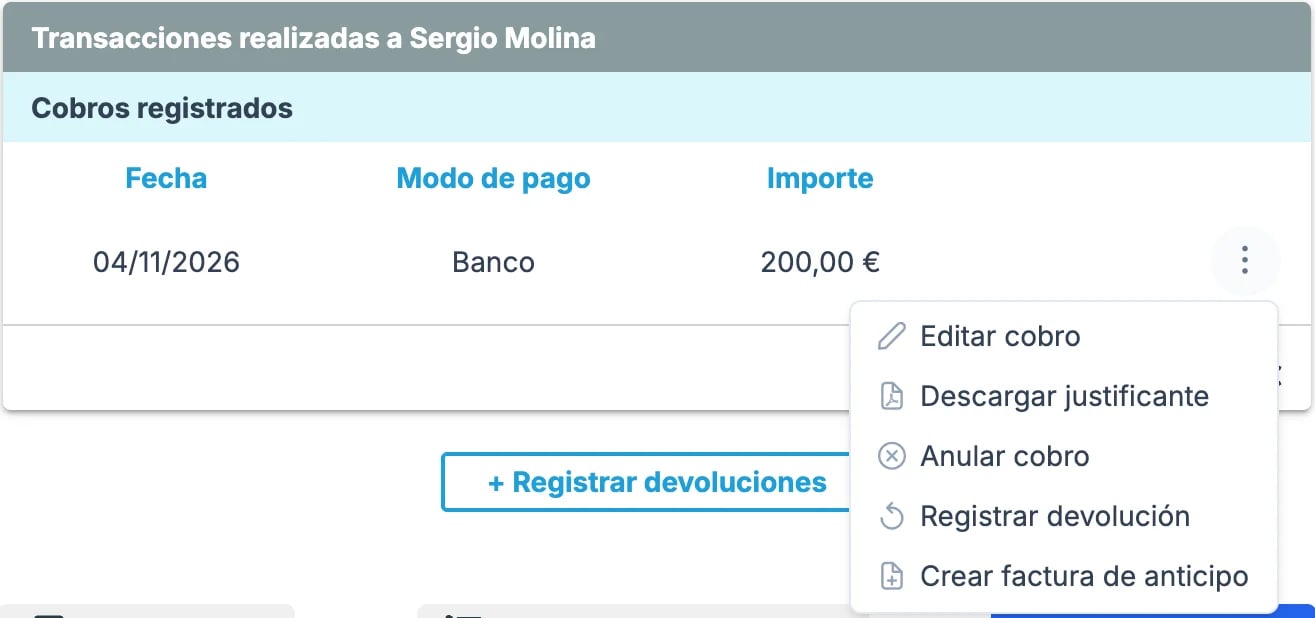
3
Choose who it goes to
Roomdoo suggests whoever made the payment. To change it, click the trash icon and search for the customer by their ID or tax ID (they don’t show up by name). If they don’t exist, create them with Add new.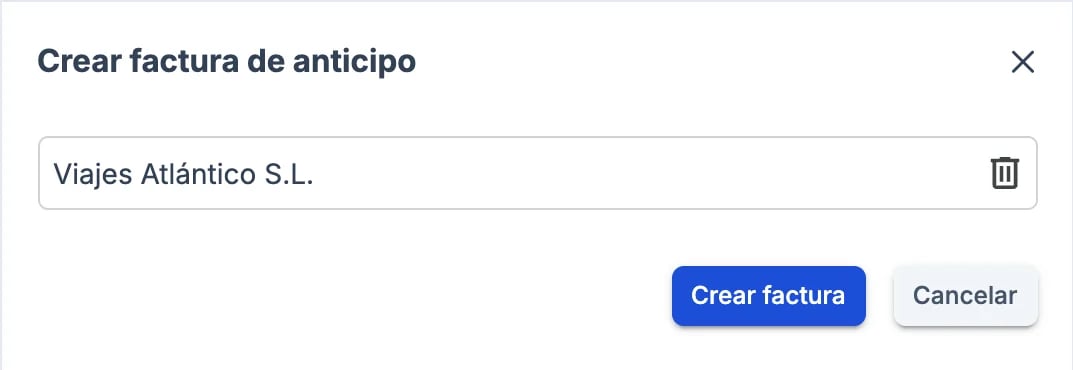
4
Create the invoice
Click Create invoice. The advance invoice is issued for the payment amount and is marked paid by it. The payment moves to that customer’s name and an Invoice button appears next to it.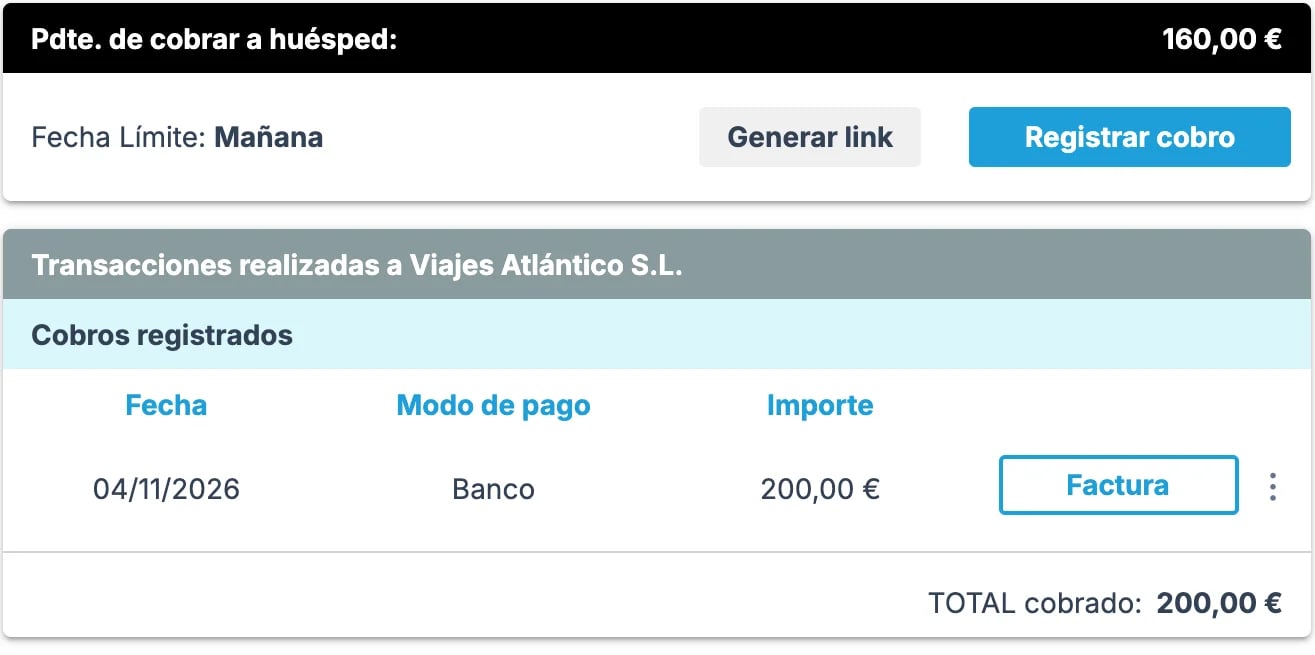
Deduct it on the final invoice
1
Create the invoice for the stay
In the reservation → Invoice tab → Create Invoice. See Invoicing guide.
2
Use the same customer as the advance invoice
The window suggests the reservation’s customer. If the advance invoice went to another person or company, click Replace customer and choose that same customer.
3
Check the advance payments
Advance payments lists each of the reservation’s advance invoices with its number and customer. Those for the invoice’s customer show as negative and are deducted from the Total to invoice.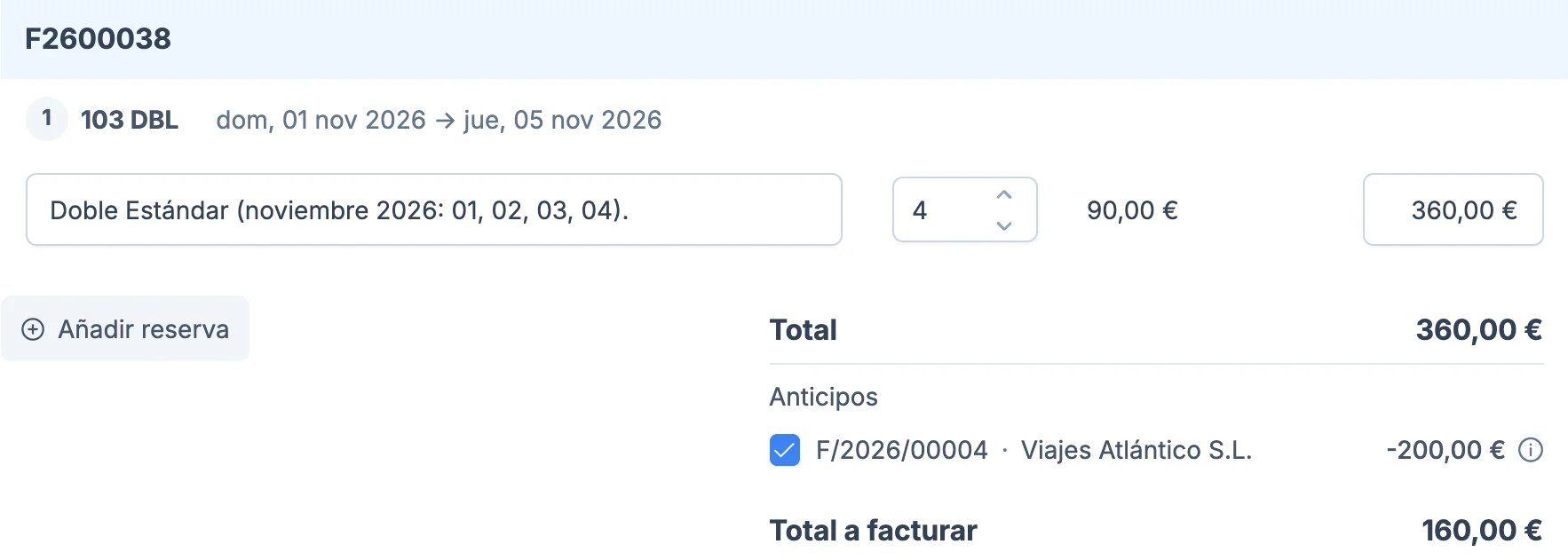
4
Validate
Click Validate invoice. The invoice covers the whole stay, with a negative line for the advance, and only the difference is left pending payment.
If the reservation is cancelled or the advance has to be refunded
Cancelling the reservation doesn’t cancel the advance invoice: the invoice stays issued and the payment stays recorded. To refund the money:1
Cancel the advance invoice
In Billing, the advance invoice’s ⋮ menu → View invoice. In the preview, ⋮ menu → Cancel invoice. Roomdoo issues a credit note for its amount.
2
Register the refund
In the reservation → Payments tab, the payment’s ⋮ menu → Register refund. See Register a refund.
3
Link it to the credit note
Open the credit note (Billing → ⋮ menu → View invoice) and, under Payments, click Add payments, choose the refund and click Add. The credit note is settled.
When to contact support
- The advance invoice was issued to the wrong customer or for the wrong amount.
- The stay ends up costing less than what was paid in advance.
- Only part of the advance has to be refunded.
- A final invoice that already deducts an advance invoice needs correcting.
- The advance money has to move to another reservation.