SES.HOSPEDAJES: full guide and integration
This article explains how SES.HOSPEDAJES works — the Spanish Ministry of the Interior’s new traveller registration platform. You’ll learn what data is required and how Roomdoo handles the whole process through its automatic integration.What is SES.HOSPEDAJES?
In Spain, tourist accommodations are required to register guests through SES.HOSPEDAJES — the unified platform that replaced older systems like Hospederías (Guardia Civil) and WebPol/E-HOTEL (National Police). This is mandatory under Royal Decree 933/2021 and has been in force since December 2024.Basque Country and Catalonia: in these regions guest registration isn’t done in SES.HOSPEDAJES but in the Ertzaintza or Mossos d’Esquadra system. If your accommodation is in one of them, contact support.
Key changes
1. New required data: SES.HOSPEDAJES asks for some additional data, which Roomdoo handles smoothly through its check-in wizard, with the same workflow you’re used to. Alongside traveller registration, reservations must be reported too. 2. Only mandatory data is sent: Roomdoo only sends the data the regulation requires. Information like payment method or payment date — which is optional — won’t be reported. The aim is to share only what’s strictly required, preserving confidentiality. 3. Every traveller is registered, including minors:- All travellers, regardless of age, must be registered.
- Adults must complete every field and sign (physically or digitally).
- Young people between 14 and 18 must record their data, including their ID document, and the relationship with the responsible adult.
- Spanish children under 14 can be registered without an ID document, but the relationship and the rest of the data are required. Foreign minors must provide their document (for example, their passport).
- If you register a minor without a document, let support know so we can check that the traveller report for that reservation was sent correctly.
When each communication is sent
- Reservations: when a reservation is created (including the ones coming from OTAs), Roomdoo reports it automatically. If you change the dates or the number of adults, or cancel it, Roomdoo reports the change.
- Traveller report: it’s sent when you check the guests in, that is, when you complete the check-in or click Mark arrival. The pre check-in the guest fills in from the link doesn’t send it by itself: reception still has to mark the arrival.
- If some guests haven’t been registered yet, Roomdoo sends the report with the registered ones, within the legal deadline.
What you need to do
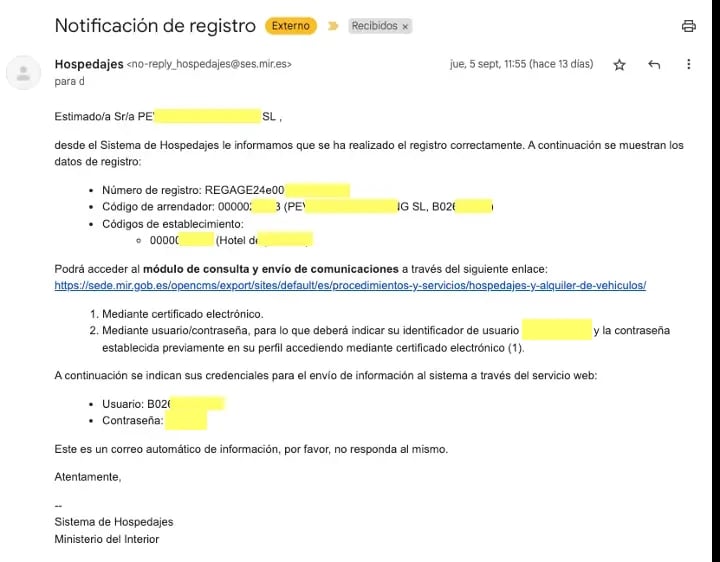
You need to register your accommodation in SES.HOSPEDAJES to enable the Roomdoo integration and automation.
See the guide to register your accommodation in SES.HOSPEDAJES for the full step-by-step.

- Host code (código de arrendador, also called entity code).
- Establishment code.
- Web service user (the one ending in “WS”).
- Web service user password.