

Which payments reach Roomdoo on their own and which don’t
Your payments can go through several tools, but not all of them are connected to Roomdoo:- Arrive on their own on the reservation: payments the guest makes with the Roomdoo payment link, and prepayments that some OTAs or your booking engine collect online for you and that come in with the reservation through the channel manager.
- Don’t arrive on their own: what you charge on the card terminal (physical POS), with Phone & Sell or other tools from your bank, by transfer or in cash, and OTA reservations where you charge the guest yourself (even if the OTA gives you a virtual or guarantee card). All of these payments must be recorded on the reservation with Register payment. See How to record a payment.
Common situations
The reservation is 100% paid in the OTA but shows as pending in Roomdoo
The reservation is 100% paid in the OTA but shows as pending in Roomdoo
If you charge the guest yourself for that reservation (for example, with the virtual card the OTA gives you), Roomdoo doesn’t receive any payment: when you charge the card, record the payment on the reservation with Register payment.If it’s a prepayment the OTA collects for you and it hasn’t shown up in the Payments tab, contact support.
I charged on the POS but the folio still shows a balance
I charged on the POS but the folio still shows a balance
The card terminal isn’t connected to Roomdoo. Record the payment on the reservation with Register payment and the payment method that matches your POS.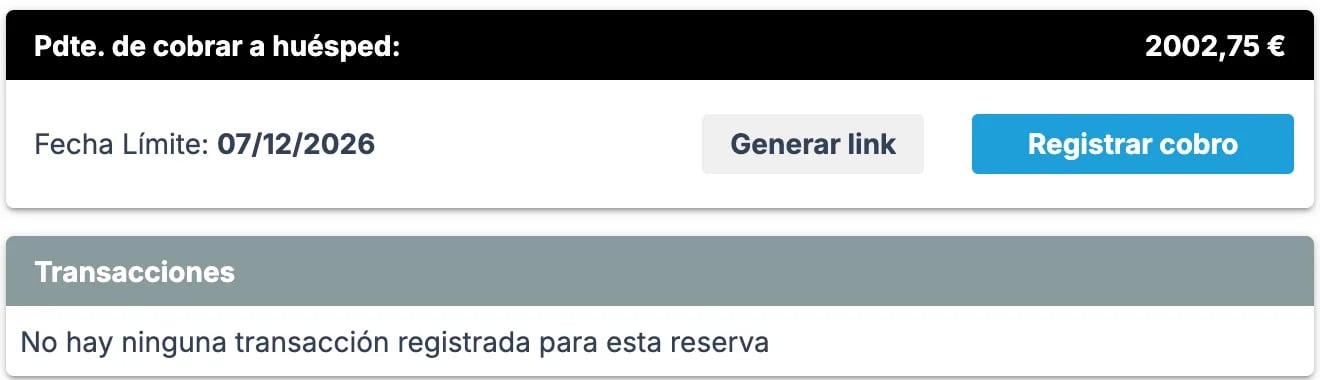
Phone & Sell says we collected X € but Roomdoo shows less
Phone & Sell says we collected X € but Roomdoo shows less
Phone & Sell isn’t connected to Roomdoo: every payment made that way has to be recorded by hand. Compare the payments in the Payments tab with your bank’s list and record the ones that are missing.
What to do if the mismatch persists
If the balance still doesn’t add up after recording all your payments, or a payment that should have arrived on its own is missing, contact support with:- Booking reference
- Actual amount charged
- System where the payment appears (POS, gateway, OTA extranet)
- Amount Roomdoo shows
- Payment date
When to contact support
- A payment that should have arrived on its own (Roomdoo payment link or OTA prepayment) doesn’t show on the reservation.
- After recording all payments, the balance still doesn’t match what you actually collected.