

When a corrective is needed
Once an invoice is validated, it isn’t modified in place — its number is final. To correct errors, a corrective invoice is issued, referencing the original and voiding it fully or partially, plus a new invoice with the right data if needed. Typical cases:- The amount was wrong and needs adjusting (up or down).
- There was a date change after validation.
- The billable customer changes (the invoice goes to a different person or company).
- Lines need to be added or removed.
- The reservation was cancelled and the amount needs refunding.
How it’s done
From Roomdoo, when the customer or the lines change. In the reservation → Invoice tab → the invoice’s ⋮ menu → Edit invoice. If you change the customer, remove or add lines, or change quantities, when you save Roomdoo automatically issues a corrective that voids the original invoice and a new invoice with the changes. Check carefully before saving: both are issued.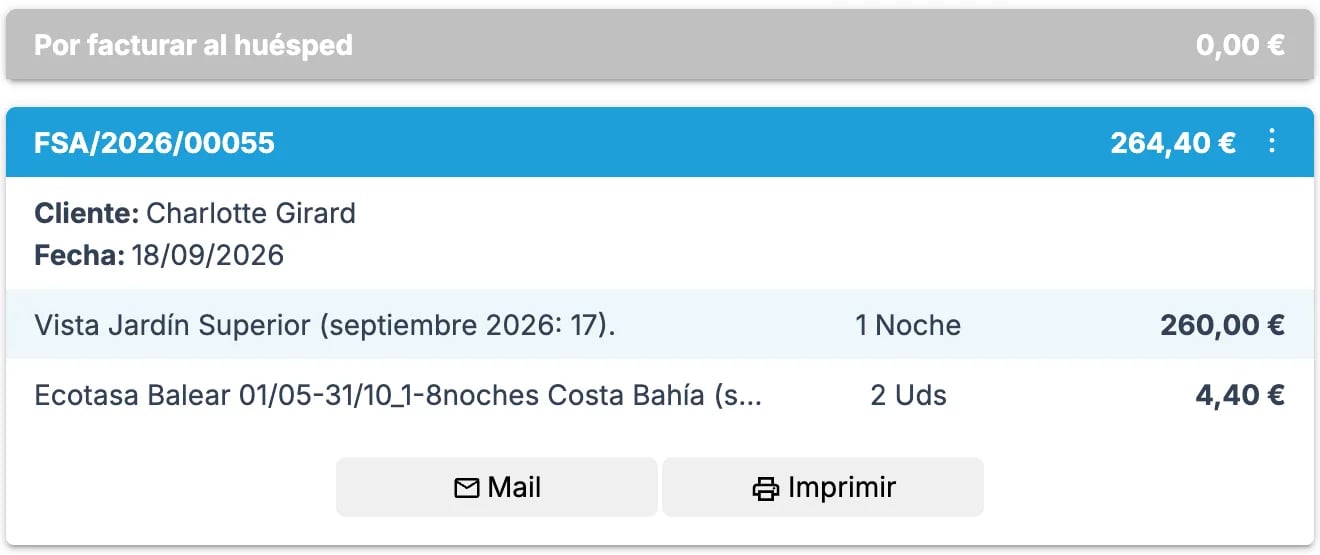
- Booking reference
- Number of the invoice to correct
- What needs fixing (amounts, customer data, lines, etc.)
- If the corrective implies a refund, how to process it (original method or moving the payment to another reservation)
If your property has VERI*FACTU active, the corrective is sent to the AEAT just like the original, referencing it. Fiscal traceability is preserved end to end.
Common cases
I validated the invoice too early by mistake
I validated the invoice too early by mistake
Don’t worry — contact support and we’ll correct it with the right data. The original invoice is voided by the corrective.
The customer is asking for a refund and a full credit note is needed
The customer is asking for a refund and a full credit note is needed
A full credit note is a corrective for the invoice’s entire amount, which voids it completely. If your account already has the new invoice window, you can issue it with Cancel invoice; otherwise, we issue it from support. The invoice’s payments aren’t refunded automatically: let us know whether the refund goes back to the original method or whether the payment should be moved to another reservation (Roomdoo doesn’t keep customer credit balances).
I just need to change the name or tax ID of the invoiced customer
I just need to change the name or tax ID of the invoiced customer
If the invoice is still a proforma, updating the contact data is enough — the step-by-step is in Modify invoice details. If it’s already validated, changing the contact doesn’t correct the issued invoice: contact support; it’s solved with a corrective and a new invoice with the right data.
The original invoice had a payment and the corrective reduces it
The original invoice had a payment and the corrective reduces it
If after the corrective there’s an overpayment, when you contact support let us know whether to refund it to the original method or move it to another reservation.
When to contact support
- You’re unsure how to correct a validated invoice.
- Only some text or the invoiced price needs fixing.
- The customer is the same but their fiscal data was wrong.
- The corrective involves a refund or leaves an overpayment.